How a website-to-short-video pipeline works, and where a human still matters
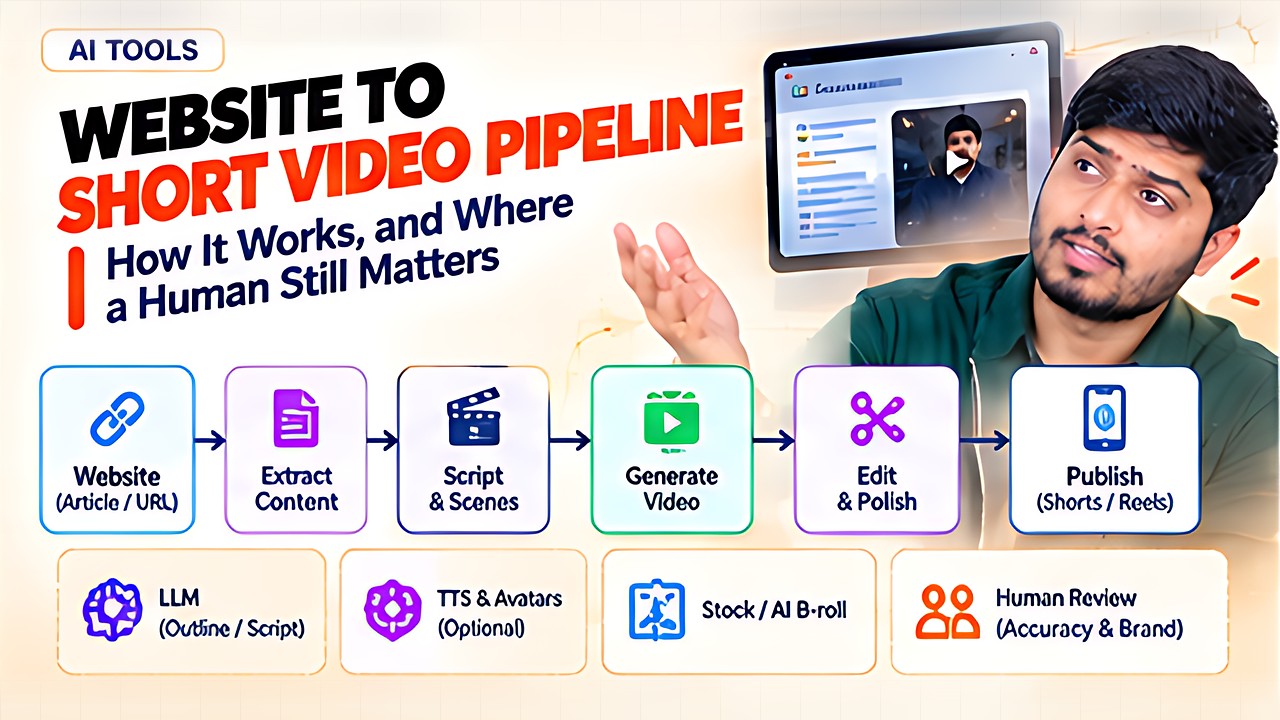
“Paste a URL, get a video” sounds like one step. It is really a pipeline of small steps, and each one can fail in its own way. Knowing the stages is how you decide what to automate.
The stages
- Fetch and clean the page: remove menus, cookie banners and footers, keep headings, copy and images.
- Extract the message: the offer, three benefits, the proof and the call to action, each tied to the text it came from.
- Write the script from those points only, with a target length and tone.
- Plan scenes: one visual per line, using the site's own images, screenshots and brand colours where possible.
- Assemble: voiceover, captions, music, transitions.
- Render in vertical, square and wide.
- Approve: a person checks the result before anything is published.
What to automate and what to keep human
| Step | Automate? | Why |
|---|---|---|
| Fetch, clean, extract | Yes | Structured and repeatable; easy to check against the page |
| Script draft | Yes, with a rule | Only use facts extracted from the page |
| Scene planning and assembly | Yes | Templates make it consistent |
| Claims, pricing, legal wording | No | A wrong number is expensive; a person should read it |
| Publishing | Approval first | Nothing public goes out unreviewed |
The same idea applies to any business workflow. If you want to see how a request moves through identity, policy, retrieval, tools and guardrails, try the playground. If you want this built for your site, see the website to short video service.